PS5 controller on PC
Pairing takes one button combo, the controller remembers four devices, and Sony's own Windows app keeps its firmware current without a console.
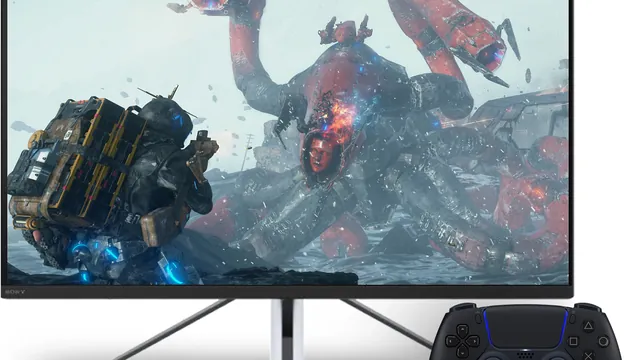
A PS5 controller works on PC: the DualSense pairs with any Windows 10 (64-bit) or Windows 11 computer over Bluetooth, or plugs in with a USB Type-C cable, and Sony says it covers more than 10,000 Steam games. The catch is the controller's signature tricks. Haptic feedback in PC games needs the USB cable, adaptive triggers may need it too, and both work only in games built for them. Sony's free PlayStation Accessories app for Windows updates the controller's firmware without a PS5.
That makes the DualSense one of the easiest premium controllers to move between a console and a desk. It remembers up to four devices at once, switches between them with a button combo, and works with the PS Remote Play app for streaming your own PS5 to the same PC.
Does a PS5 controller work on PC
Yes. Sony's support page lists the operating systems that accept a DualSense over Bluetooth and USB, and Windows is first on it:
| Device | Minimum system | What Sony says doesn't work |
|---|---|---|
| Windows PC | Windows 10 (64-bit) or Windows 11 | Haptics over Bluetooth |
| Mac | macOS Big Sur 11.3 | Haptics, microphone and speaker |
| iPhone and iPad | iOS 14.5 and iPadOS 14.5 | Haptics, microphone, speaker and headset jack |
| Apple TV | tvOS 14.5 | Haptics, microphone, speaker and headset jack |
| Android phones and tablets | Android 12 | Haptics, adaptive triggers, microphone, speaker and headset jack |
Sony says every system on that list accepts the controller over both Bluetooth and USB. Once Windows sees the controller, it works in games that accept a generic controller. Sony points PC players to each game's Steam store page, where a "Controller Support" note on the right side says whether a game has full or partial support.
Not every feature makes the trip. Sony's list of what changes on a PC:
- Haptic feedback, the fine-grained vibration from two actuators that replaced old rumble motors, works on PC only over USB and only in games that support it.
- Adaptive triggers, which push back with varying tension, work in supported games and may need the cable in some of them.
- The built-in microphone and speaker work on Windows when a game supports them.
- The headset jack works only with a wired connection.
Sony also adds that a game's feature support may vary between PS5 and PC, so a game that uses the triggers on console isn't guaranteed to use them the same way on Windows.
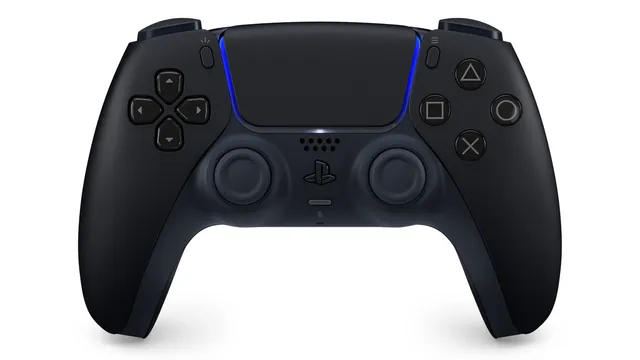
How to connect a PS5 controller to PC with Bluetooth
Bluetooth is the wireless route, and it takes under a minute. Sony's steps for a first pairing:
- Make sure the player indicator, the row of small lights under the touchpad, is off. If it's on, hold the PS button until it goes dark.
- Unplug any USB cable from the controller.
- Hold the Create button, the small button to the left of the touchpad, then press and hold the PS button as well until the light bar starts blinking.
- On the PC, open Windows' Bluetooth settings and choose to add a Bluetooth device.
- Pick the controller from the list. When pairing finishes, the light bar blinks and the player indicator lights up.
From then on, pressing the PS button on a switched-off controller connects it to the device it last paired with. Holding the PS button until the lights go out turns the controller off and drops the connection.
A desktop without Bluetooth isn't stuck. Sony says a commercially available Bluetooth USB adapter can do the job, though it warns that not all adapters are supported, and a cable avoids the question entirely.
How to connect a PS5 controller to PC with a USB cable
Plug a USB Type-C cable into the controller's USB-C port and the other end into the PC. Windows picks it up without a pairing step, and the controller charges while you play.
The cable matters more on PC than it does on a PS5. Over USB, the DualSense can use haptic feedback in games that support it, and it can carry audio through its headset jack. Pull the cable out mid-session and the controller disconnects and turns off, so a player who wants to keep going wirelessly has to pair it over Bluetooth first.
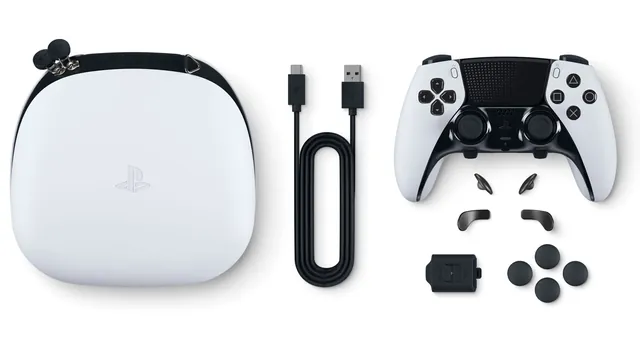
Sony now sells a PC-ready version of the Midnight Black DualSense with a USB Type-C cable in the box. Any other color or limited edition works on PC the same way; Sony says all of them are compatible with PC, Mac, PS5 and mobile, and only the cable is extra.
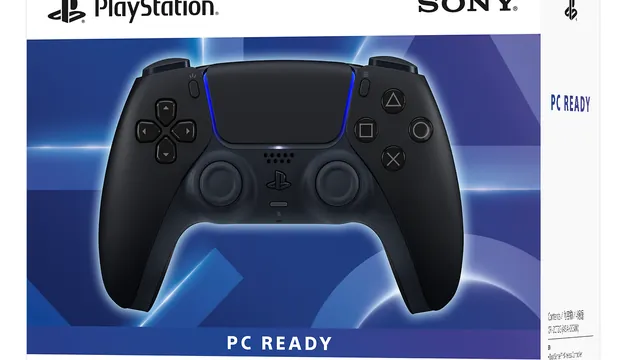
Use one DualSense on PS5 and PC
The DualSense keeps up to four pairings, each stored in a numbered slot, so one controller can live between a console, a gaming PC, a laptop and a phone. Sony maps each slot to a face button:
| Slot | Hold with the PS button | Player indicator |
|---|---|---|
| 1 | Triangle | One light |
| 2 | Circle | Two lights |
| 3 | Cross | Three lights |
| 4 | Square | Four lights |
To pair a device into a chosen slot, hold that face button and the PS button for more than five seconds, until the light bar and player indicator flash twice, then add the controller from the device's Bluetooth menu. Holding Create and PS for at least three seconds instead drops the new pairing into the next slot automatically. With all four taken, the slot used least recently is the one that gets replaced.
Switching is the same combo held for about three seconds, and it works whether the controller is on or off. To hand the controller back to a PS5 the simple way, connect it to the console with a USB cable and press the PS button, then unplug it.
How to update a PS5 controller on PC
Sony's PlayStation Accessories app for Windows updates DualSense firmware with no console involved. Version 2.2.1 is the current one on Sony's download page, and its requirements are modest:
| Requirement | PlayStation Accessories app |
|---|---|
| System | Windows 10 (64-bit) or Windows 11 |
| Storage | 250 MB or more |
| Display | 1280 x 800 or higher |
| Connection | USB cable or Bluetooth |
| Controllers at once | Up to four |
Open the app with the controller connected and it shows the battery level and the firmware version. When a newer version exists, an Update button appears. Sony asks for two things during an update: don't turn off the PC and don't disconnect the controller. With several controllers, the app updates them one at a time.
For a regular DualSense, firmware is the whole job. Plug in a DualSense Edge, Sony's pro controller with back buttons and swappable sticks, and the same app also edits its control profiles, the remapped buttons, stick sensitivity, dead zones and trigger settings that the Edge stores on the controller itself.
Sony recommends installing app and controller updates as soon as they come out, both for security and so the controller keeps working properly.
Which PC games support DualSense haptics and adaptive triggers
Most Steam games treat the DualSense as an ordinary gamepad: sticks, buttons and basic vibration. A shorter list goes further and uses haptic feedback and adaptive triggers on Windows. Sony's own PC page names these, among others:
- Sony's own games: God of War, God of War Ragnarök, Ghost of Tsushima Director's Cut, Marvel's Spider-Man Remastered, Marvel's Spider-Man: Miles Morales, Marvel's Spider-Man 2, The Last of Us Part I, The Last of Us Part II Remastered, Horizon Zero Dawn Remastered, Ratchet & Clank: Rift Apart, Returnal, Uncharted: Legacy of Thieves Collection, Until Dawn, Sackboy: A Big Adventure and Helldivers 2.
- Other publishers: Apex Legends, Battlefield 6, Call of Duty: Black Ops 7, Cyberpunk 2077, DOOM: The Dark Ages, EA Sports FC 27, Final Fantasy VII Rebirth, Final Fantasy XVI, Hogwarts Legacy, Monster Hunter Wilds, Stellar Blade and Tony Hawk's Pro Skater 3 + 4.
Death Stranding Director's Cut and Death Stranding 2: On the Beach are on the list too. For anything else, Sony's advice is to check the game's Steam page or its publisher's site, and the game's own compatibility notes say whether the triggers need the cable.
Play PS5 games on PC with the DualSense
A DualSense on a PC can also play games that never left the console. Sony's free PS Remote Play app streams a PS5 or PS4 from home to a Windows PC or Mac, and it accepts a DualShock 4, a DualSense or a DualSense Edge. In games that accept a hardware keyboard, the PC's keyboard works too, as if it were plugged into the console.
Sony's requirements for Remote Play:
- A PS5 or PS4 on the latest system software, connected to broadband. Sony recommends a wired LAN connection for the console.
- At least 5Mbps of internet speed, with 15Mbps or more recommended.
- The free PS Remote Play app on the PC.
- A game that supports Remote Play.
PS4 games lose the newer features on the way: Sony says that in streamed PS4 games, haptic feedback falls back to basic rumble and adaptive triggers aren't supported. For a dedicated screen instead of a desktop, the PS Portal does the same streaming from a PS5 in a handheld with its controls built in.
PS5 controller not working on PC
Sony's support pages point to the same few fixes when the controller won't connect or behaves oddly:
- Check the slot. A controller paired to four devices may be trying to reach a PS5 or phone in another slot. Hold the PC's face button with the PS button for about three seconds to switch back.
- Update the app and the controller. Install the latest PlayStation Accessories app and controller firmware, then reconnect.
- Restart the connection. Turn the controller off by holding the PS button, then turn it back on, or close the app and connect again if a game misbehaves.
- Reset the controller. Press the controller's small reset button with a fine-tipped pen or something similar. Sony says this doesn't erase pairings or profiles.
- Check the game. Some games read the controller only partly. The "Controller Support" note on the Steam page says whether a game has full or partial support.
If none of that helps, Sony's next stop is PlayStation Repairs.
For a PC that also needs sound, the PlayStation Pulse wireless headset connects through its own PlayStation Link USB adapter rather than the PC's Bluetooth.
FAQ
Can I use one DualSense on both my PS5 and my PC?
Yes. To go back to the console, plug the controller into the PS5 with a USB cable and press the PS button, then unplug it and keep playing wirelessly.
Does the DualSense microphone work on PC?
On a Windows PC, the built-in microphone and speaker work in games that support them. They don't work on a Mac or on phones.
What if my PC doesn't have Bluetooth?
A USB-C cable works on any Windows 10 or 11 PC. Sony also says a commercially available Bluetooth USB adapter can add wireless pairing, though not every adapter is supported.
Add VR.one as a preferred source on Google and our stories show up more often in your Top Stories.