GTA 6 Xbox One
Xbox One owners need the game, cloud playtime and a 20 Mbps line, and Remote Play opens a second route from a Series X or S to phones and PCs.
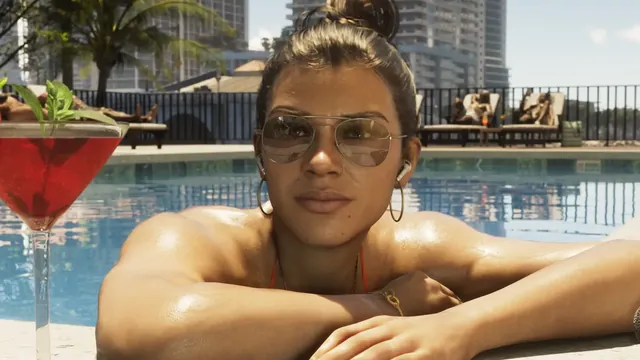
GTA 6 doesn't install on an Xbox One, but you can still play it there: Microsoft streams Grand Theft Auto VI to Xbox One through Xbox Cloud Gaming, using Xbox Series S graphics settings. You need to own the game, which lists at $79.99 on the Xbox Store, and you need cloud playtime, either the monthly hours in an Essential, Premium or Ultimate Game Pass plan or hours bought from the store. Streaming opened with the launch at 1 a.m. ET on November 19, 2026, 10 p.m. PT the night before.
That makes the Xbox One, a console from 2013, one of the cheapest ways into the biggest launch of the year. Microsoft says Grand Theft Auto VI was the most pre-ordered title ever on the Microsoft Store, and the cloud route is how it reaches owners of last-generation hardware. Here is what you need, what the hours cost, how to start the stream, and what changes compared with playing on a Series X or S.
Can you play GTA 6 on Xbox One?
Yes, through the cloud only. Xbox's own game page puts it plainly: Grand Theft Auto VI is available on Xbox Series X and Xbox Series S, and Xbox One players can experience it with Xbox Cloud Gaming. The game doesn't run natively on Xbox One, meaning there is no version you download and run on the console's own processor. Rockstar Games' support pages say the same thing: cloud play covers Xbox Series X and S and Xbox One consoles.
Cloud gaming works like a video service for games. The game runs on a Series-class machine in a Microsoft data center, your Xbox One sends your button presses up the line, and the picture comes back as a video stream. Your console's age matters much less than your internet connection.
Microsoft laid out three ways to play on Xbox in its November 10, 2026, post:
| Console | How GTA 6 runs | Install needed |
|---|---|---|
| Xbox Series X | Natively, the best Xbox version | Yes |
| Xbox Series S | Natively, the most affordable way to play installed | Yes |
| Xbox One | Streamed through Xbox Cloud Gaming | No |
| Xbox Series X and S | Can also stream from the cloud to save drive space | No |
That last row matters to anyone with a full drive. The game is large, and Xbox says Series X and S owners can stream it instead of installing it. Our guide to GTA 6 file size on PS5 and Xbox covers the download in detail.
What you need to stream GTA 6 on Xbox One
Three things, and Xbox's game page names two of them: you have to own the game and you have to have cloud playtime. The third is a connection fast enough to carry the stream.
| You need | Details |
|---|---|
| A copy of Grand Theft Auto VI | Bought from the Xbox Store; it isn't part of Game Pass |
| Cloud playtime | Monthly hours from Game Pass Essential, Premium or Ultimate, bought hours, or free streaming with ads where offered |
| Internet speed | Xbox recommends at least 20 Mbps for consoles |
| Connection type | Wired Ethernet first; 5 GHz Wi-Fi works |
| Controller | The Xbox Wireless Controller already paired to your Xbox One |
The game being outside Game Pass trips up many subscribers. Xbox's answer to the question on its game page is direct: players must purchase Grand Theft Auto VI to play it. What Game Pass adds is the cloud time. Owners who also subscribe can spend their plan's monthly hours on the game.
The ad-supported option is the newest piece. Players without Game Pass or bought hours can stream games they own for free with ads where Microsoft offers it, and session limits apply. Availability varies by market and device, and Xbox's fine print adds that cloud play works in select regions only.
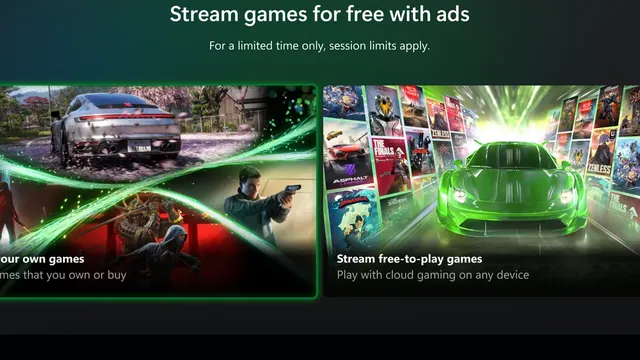
How many hours of GTA 6 you get with Game Pass
Xbox Cloud Gaming now runs on monthly allowances instead of unlimited streaming. For GTA 6 on Xbox One, that allowance is your playing time. Prices below are Microsoft's US store prices, read on November 26, 2026.
| Plan | Price | Cloud hours a month | About per day |
|---|---|---|---|
| Game Pass Ultimate | $22.99 a month | 15 | 30 minutes |
| Game Pass Premium | $14.99 a month | 10 | 20 minutes |
| Game Pass Essential | $9.99 a month | 5 | 10 minutes |
| 10-hour pack | $3.99 | 10, kept until used | |
| 25-hour pack | $7.99 | 25, kept until used | |
| 50-hour pack | $11.99 | 50, kept until used |
The order matters. Xbox spends the hours included with Game Pass first. They reset each month and unused ones don't roll over. Bought hours come next and stay on your account until you use them. Hours from two Game Pass subscriptions don't stack, though bought hours add to either.
GTA 6 is a long open-world game, so the math is simple. A player who wants several sessions a week will run past the 15 hours in Ultimate, and the 50-hour pack at $11.99 is the cheapest rate per hour on the list, about 24 cents. Our story on Xbox cloud gaming limits explains how the caps came in.
How to start GTA 6 in the cloud on Xbox One
Xbox published the steps on November 23, 2026. Once you own the game:
- Press the Xbox button on your controller to open the guide, then search for Grand Theft Auto VI.
- Select Manage, then See in Microsoft Store.
- On the store listing, select Play With Cloud.
The stream starts without a download. Xbox recommends a wired Ethernet cable wherever you can run one, and warns that even fast wireless networks can dip in audio and video quality now and then. If your router broadcasts both 5 GHz and 2.4 GHz, Xbox's cloud guide says to make sure your device connects to the 5 GHz network.
How GTA 6 looks on Xbox One through the cloud
Microsoft says the cloud version uses Xbox Series S graphics settings. That is the same preset a Series S owner gets at home, so the image is a step below a Series X running the game from its own drive. Rockstar's support page confirms the Series S settings for every console that streams the game, Xbox One included.
In practice, the stream sets the ceiling, not the Xbox One. The old console only decodes video, so a 2013 Xbox One and a 2017 Xbox One X show much the same picture when they stream. What changes the experience is the line into your home:
- Speed. Xbox recommends at least 20 Mbps on consoles, PCs and tablets, and says streaming performance also depends on your location and device.
- Latency. Every press of a button travels to the data center and back. A wired connection keeps that delay short and steady.
Xbox's cloud page also points out a benefit for players who later move up: cloud saves keep progress in sync, so the story you play on Xbox One sits waiting on a Series X or S when you install the game there.
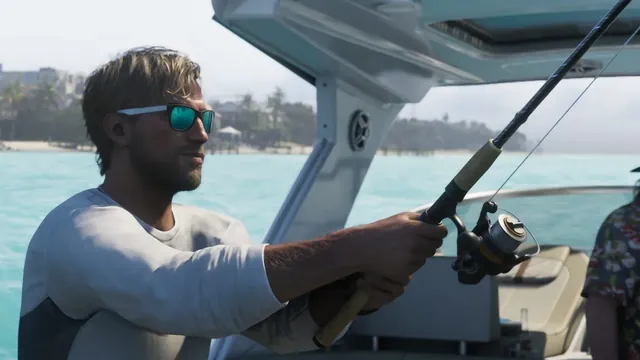
GTA 6 on phone, PC and ROG Xbox Ally with Remote Play
Remote Play is the other way to play away from the console, and it works the other way round. The game runs on your own Xbox Series X or S at home and streams to a phone, laptop, PC or a handheld such as the ROG Xbox Ally. Because the stream comes from your own console rather than Microsoft's servers, it isn't Xbox Cloud Gaming. Rockstar says GTA 6 fully supports Remote Play on Xbox and PlayStation consoles.
Remote Play needs a Series X or S, so it doesn't help an Xbox One owner. For a Series owner, Xbox's November 23, 2026, steps are:
- On the console, go to Settings, then Devices and connections, then Remote features, and check Enable remote features.
- Optionally, select Test remote play in the same menu to see what quality your connection allows.
- On a phone, open play.xbox.com/remoteplay in a browser, pick your console and select Remote Play on This Device.
- On a Windows PC or ROG Xbox Ally, open the Xbox PC app, click your profile icon, go to Accessories and remote play, and select Remote play.
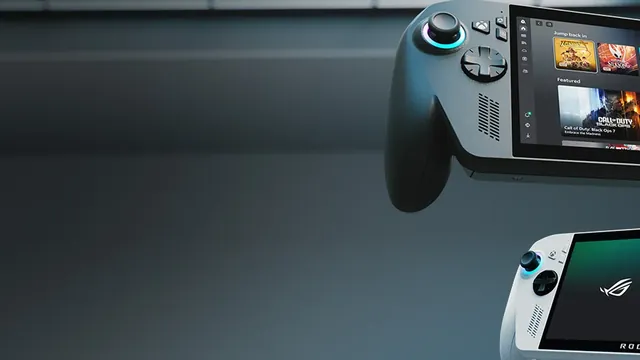
PlayStation owners have the same idea with their own hardware: our story on GTA 6 on PS Portal covers streaming from a PS5.
Xbox One cloud or Xbox Series S for GTA 6
The choice comes down to how much you play. Streaming on the Xbox One you already have costs nothing in new hardware, and the picture matches a Series S because the cloud uses the Series S preset. The limits are the hours and the connection: every session draws on the monthly allowance, and a weak line costs image quality that an installed copy never loses.
A Series S runs the game from its own drive, with no hour cap and no dependence on the line beyond online features. Microsoft calls it the most affordable way to play GTA 6 natively on Xbox. It is the bigger outlay, but it suits a player planning long nights in Leonida, and it adds Remote Play to phones and handhelds. Our guide to the Xbox Series S covers the console itself.
Microsoft is widening the cloud route, too. Xbox says Grand Theft Auto V, Red Dead Redemption 2 and more Rockstar games will join Xbox Cloud Gaming in the coming months, so the same hours and the same Xbox One will reach more of the publisher's catalog.
FAQ
Will my GTA 6 progress carry over from Xbox One to an Xbox Series X?
Xbox says cloud saves keep your progress in sync across screens, so a story started in the cloud on Xbox One continues on a Series X or S that installs the same copy.
Can I play GTA 6 on Xbox One for free with ads?
The game itself has to be bought, but once you own it, Xbox lets players without cloud hours stream it with ads where that option is available, with session limits.
Does GTA 6 run on PS4?
GTA 6 is a PS5 and Xbox Series X and S game. Rockstar lists only those two current consoles, and the Xbox One route works because Microsoft streams the game from its own servers.
Add VR.one as a preferred source on Google and our stories show up more often in your Top Stories.