Can you play GTA 6 on PS Portal? Yes, streamed from your own PS5
What each handheld actually needs for Vice City on the go, from the Portal and phones to Windows handhelds and Steam Deck, and why none of them runs the game alone.
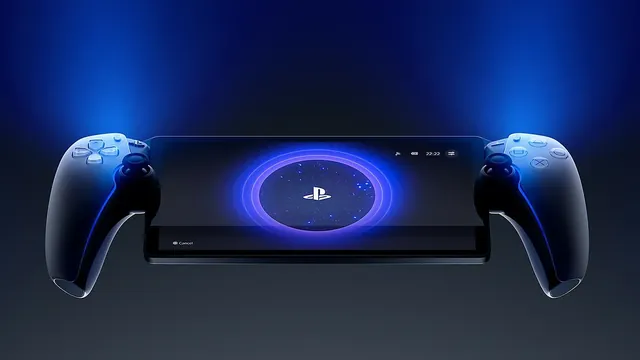
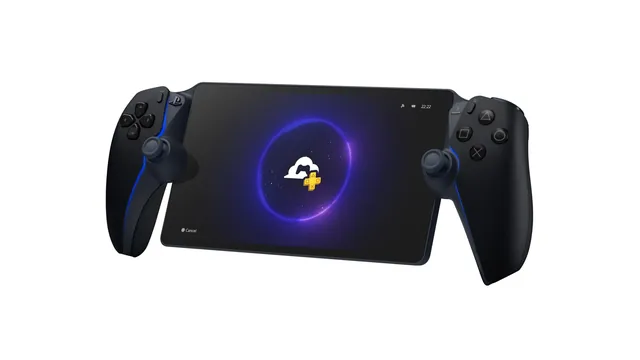
Yes, you can play GTA 6 on PlayStation Portal. Sony's official PS5 listing for Grand Theft Auto VI says "Remote Play supported," and Remote Play is exactly what the Portal does: it streams a game running on your own PS5 to its 8-inch screen over Wi-Fi. The game launches on November 19, 2026, and the Portal costs $249.99 in the US. The catch is that the Portal can't run anything by itself. Your PS5 has to be home, connected and switched on or in Rest Mode, with the game installed.
That rule sets the pattern for every handheld people are asking about this week. GTA 6 is a console game on PS5 and Xbox Series X and S, Rockstar hasn't announced a PC version, and neither store page lists cloud streaming. So every portable way to play it goes back to a console you own.
Does GTA 6 work on PS Portal?
It does. The PlayStation page for the game shows the same feature tags that decide Portal compatibility: Remote Play supported, one player, offline play enabled, and vibration and trigger effects on the DualSense controller. Sony's rules for the Portal exclude only games that need a VR headset or a peripheral other than a DualShock 4, DualSense or DualSense Edge controller, and GTA 6 needs neither.
In practice, you install GTA 6 on your PS5 as usual. Then you pair the Portal with the console once, and from then on you turn the Portal on, press a button and pick up where you left off. Someone else can keep watching TV on the screen the PS5 is plugged into while you play, because the console's video goes to the handheld instead.
Sony says the Portal plays at up to 60 frames per second on its 1080p screen, with performance depending on the game and your network. The PS5 does all the rendering, so on a PS5 Pro the console still runs the game's Pro-enhanced version, while the stream you see is capped by the Portal's screen and your Wi-Fi.

What you need to play GTA 6 on PS Portal
The list is short, and only one item costs extra: the Portal itself.
| What | Requirement |
|---|---|
| Console | A PS5 or PS5 Pro, paired with the Portal; PS4 can't run GTA 6 |
| Game | GTA 6 installed on that PS5 |
| Console state | Connected to the internet and on, or in Rest Mode |
| Internet speed | At least 5Mbps over Wi-Fi; Sony recommends 15Mbps or more |
| Subscription | None for Remote Play itself |
| Portal price | $249.99 |
The PS5 side matters more than the Portal side. Rest Mode is the PS5's low-power standby, and under Settings, System, Power Saving, Features Available in Rest Mode, Sony has you turn on Stay Connected to the Internet and Enable Turning On PS5 from Network, or the Portal can't wake the console. If you plan to play away from home, check that before you leave, because nobody can press the power button for you from a hotel.
Storage is the other thing to sort out before launch day. The game needs at least 212GB free on the PS5, and if that's a problem on your console, our guide to making room for GTA 6 walks through it.
Can you play GTA 6 on PS Portal away from home?
Yes, with limits. Sony says the Portal works on any broadband Wi-Fi with at least 5Mbps, not only your home network, and system software 3.0.1 or later lets it join select public networks that ask for extra sign-in steps beyond a password. You finish that sign-in on your phone or tablet, and the Portal needs to be set up on your home Wi-Fi first.
The Portal connects only over Wi-Fi, so there is no playing on a cellular signal of its own. Sony also warns that public Wi-Fi quality is out of your control, and a crowded network shows up as blur and lag in a game this detailed.
The other way to play on the Portal, cloud streaming, doesn't help here. PS Plus Premium lets the Portal stream select games from Sony's servers with your PS5 switched off, including some digital games you own. Sony's GTA 6 page lists Remote Play and no cloud streaming, so plan on your console doing the work.
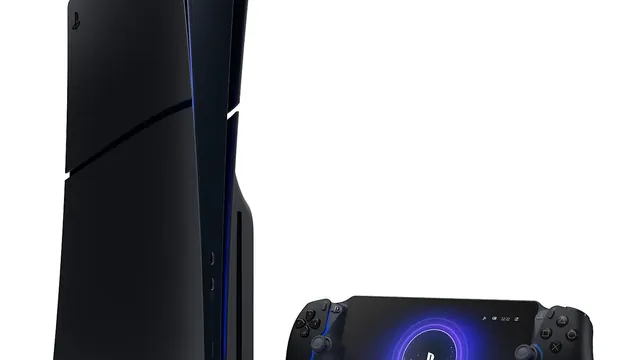
Can you play GTA 6 on ROG Xbox Ally or another Windows handheld?
Not as a PC game. Windows handhelds such as the ROG Xbox Ally run PC games from Steam, Xbox on PC and other stores, and GTA 6 has no PC version to install. Rockstar hasn't announced one or given it a date.
What these handhelds can do is stream. Microsoft says you can play games installed on your console remotely on a gaming handheld through Xbox remote play, using the Xbox app. Your Xbox Series X or S must have remote features turned on and be on or in Sleep mode, and Microsoft asks for 5GHz Wi-Fi or a mobile connection with at least 10Mbps down.
Microsoft adds that remote play needs supported games, and it hasn't singled GTA 6 out either way. The game's Xbox store page lists single player, Xbox Series X and S optimization, achievements, presence and cloud saves. That last one only means your progress syncs between consoles, not that the game streams.
Two things stay off the table for now. The Xbox store page doesn't list Xbox Cloud Gaming, so you can't stream GTA 6 from Microsoft's servers without a console of your own. And it doesn't list Xbox Play Anywhere, the program that lets one purchase run on both console and PC. If either changes, it will show up on that store page first.
A Windows handheld can also reach a PS5. Sony's PS Remote Play app runs on Windows 10 and Windows 11, so it installs on a Windows handheld like on any PC. Sony lists a DualSense, DualSense Edge or DualShock 4 connected by USB as the controller for it, though, not a handheld's built-in buttons, which makes it a workable plan B rather than a Portal replacement.
Can you play GTA 6 on Steam Deck, a phone or a tablet?
On Steam Deck, not natively and not officially. The Deck plays PC games through Steam, and GTA 6 isn't a PC game yet. Sony's list of devices for PS Remote Play covers Windows PCs, Macs, phones and tablets, Android TV, a second PS5, a PS4 and the Portal, and SteamOS isn't on it. Microsoft's requirements for remote play name Android, iOS and Windows, not SteamOS.
Phones and tablets are a better bet. Both companies support them: the PS Remote Play app streams from a PS5, and the Xbox app or a browser at xbox.com/remoteplay streams from an Xbox Series X or S. Microsoft lists Android 6.0 or later, iOS 15.1 or later and Windows 10 or 11 version 22H2 or later. Touch controls are possible on Xbox, but for a game built around driving and shooting, a controller that clips around your phone or a paired DualSense or Xbox controller is the sensible setup.
The trade-off against a Portal is simple. A phone costs nothing extra if you already own one, but the screen is smaller and the controls are an extra purchase. The Portal is purpose-built: it wakes the PS5, connects and gets you into the game with fewer steps.
GTA 6 on handhelds, device by device
| Device | How GTA 6 gets there | You need |
|---|---|---|
| PlayStation Portal | PS5 Remote Play | Your PS5, Wi-Fi at 5Mbps or more |
| Phone or tablet | PS Remote Play or Xbox remote play | Your PS5 or Xbox Series X or S, a controller |
| ROG Xbox Ally and other Windows handhelds | Xbox remote play, or PS Remote Play with a USB controller | Your console |
| Mac | PS Remote Play | Your PS5 |
| Steam Deck | No official route | A PC version, which isn't announced |
| Any device, no console | Not possible at launch | Cloud streaming, which isn't announced |
Online play is the one place a subscription comes in, for any of these. Microsoft says online multiplayer over remote play needs Game Pass, and on PS5 a game that needs PlayStation Plus for multiplayer needs it over Remote Play as well.
Which headphones work with GTA 6 on PS Portal?
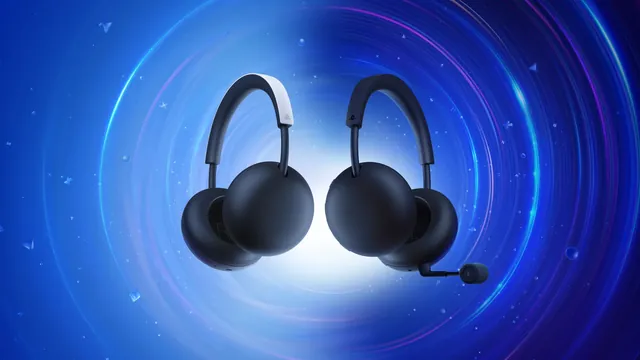
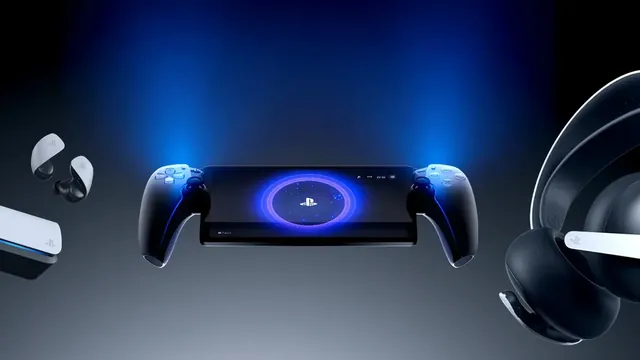
Sound is where the Portal is fussier than a phone. Sony lists three ways to get audio out of it: devices with PlayStation Link, its own wireless technology, such as the Pulse Explore earbuds and Pulse Elite headset; anything with a 3.5mm cable; and the built-in speakers. Ordinary Bluetooth earbuds aren't on that list, so check what you own before launch night.
The choice matters more than usual with this game. Sony's page for GTA 6 lists Tempest 3D Audio, the PS5's positional sound that places noises above, behind and around you. The Portal passes it through in supported games when you use a wired headset or a PlayStation Link device, so footsteps and sirens keep their direction on the handheld.
Should you buy a PS Portal for GTA 6?
The Portal solves one problem very well: playing your PS5 when the TV is taken or you'd rather be on the couch, in bed or in the kitchen. If that's your situation, GTA 6 is a strong reason to buy one, because the game supports Remote Play on day one and needs no subscription to stream.
It doesn't turn your PS5 into a portable console. Everything depends on the console at home and the Wi-Fi between you, so a weak network or a PS5 that drops off it ends the session. If you're still deciding which console to play on, our PS5 vs PS5 Pro comparison covers that first choice. And if you'd rather spend on the game than on a second screen, the standard edition of GTA 6 costs $79.99 on PS5 and Xbox, and the Ultimate Edition $99.99.
FAQ
Can I preload GTA 6 and then play it on PS Portal?
Yes. Pre-loading opens on November 10, 2026, at midnight local time for anyone who pre-ordered, and a pre-loaded copy streams to the Portal as soon as the game unlocks on your console.
Does GTA 6 on PS Portal use haptics and adaptive triggers?
The Portal has the same haptic feedback and adaptive triggers as the DualSense, and Sony lists GTA 6 as supporting both, so the trigger and vibration effects come through in the handheld.
Is the PS Portal worth buying just for GTA 6?
It makes sense if someone else often has the TV or you want to play in another room. If you mostly play in front of the TV, the money goes further on storage or a second controller.