PlayStation network status
Sony's own status page tracks five services for US players, and most launch-day errors trace back to the console's connection, not Sony's servers.

PlayStation Network is up. Sony's official status page listed no outages, no degraded services and no maintenance for players in the United States at 4:51 p.m. ET (1:51 p.m. PT) on November 19, 2026, the day Grand Theft Auto VI came out on PS5. If your console can't connect, the trouble is most likely between the PS5 and your router or internet provider, and Sony's own fixes below take a few minutes.
Launch day put a huge number of players online at once, downloading, signing in and buying in the same hours. Sony's status page is the only official answer, so it is worth knowing what it shows and what it leaves out.
Is PSN down right now
Sony runs the status page at status.playstation.com. For the Americas region, which covers the US, Canada, Mexico and 15 Latin American countries, it reports on five services. At the time above, none of them carried an alert.
| Service | What it covers | Status, November 19, 2026, 4:51 p.m. ET |
|---|---|---|
| Account management | Sign in, create account, edit account details | No issues |
| Gaming and social | Game streaming, trophies, challenges, tournaments, Game Help | No issues |
| PlayStation Store | Purchase, download, browse, search, redeem voucher | No issues |
| PlayStation Video | Sony's video service | No issues |
| PlayStation Direct | Sony's web store: search, browse, purchase | No issues |
Each service on the page lists the devices it covers: PS5, PS4, PS3, PS Vita, the web and other devices. Sony can flag a whole service or a single part of it, such as sign-in or downloads, so a problem with one feature doesn't have to mean the whole network is down.
How to check PlayStation server status
Three places tell you whether the problem is Sony's or yours.
- The status page. Open status.playstation.com on a phone or computer. A clean page for your region means Sony isn't reporting a problem. Sony's own error pages send players there first when a PS5 throws a server error.
- The console's connection test. On PS5, go to Settings > Network > Connection Status > Test Internet Connection. Sony's error pages use it as the first check that the console is properly connected.
- The game's own servers. Many games run their own online services on top of PSN. Sony's error page for WS-114298-5 tells players to check both the PlayStation status page and the game's website for server failures or maintenance.
If the status page is clean and the connection test fails, the fault is on your side of the line. If the test passes but one game won't go online, look at that game's publisher.
Why PSN isn't working on my PS5
Launch days strain everything at once: home networks carrying a 212GB download, internet providers, and the publisher's servers. Sony lists the same fixes across its connection error pages.
- Restart the console and the router. Sony asks players to turn the router and modem off, wait at least five minutes and turn them back on.
- Use a cable. Connect with a wired Ethernet connection if you can. On Wi-Fi, move the PS5 closer to the router and clear anything that blocks the signal.
- Update the system software. An out-of-date PS5 can fail to sign in. Sony's sign-in guide puts the update right after verifying your email. Our guide to the latest PS5 update covers what the current version changed.
- Check manual network settings. If you set your IP address or DNS by hand, make sure the primary and secondary DNS entries are right. A wrong entry shows up as a hostname error.
- Ask your internet provider. Sony suggests asking the provider about maintenance, router firmware updates and turning off port filtering on the router.
- Set a static IP address. As a last network step, Sony suggests setting up the connection by hand under Settings > Network > Settings > Set Up Internet Connection.
If none of that works and the status page stays clean, Sony's advice is simple: wait a few minutes and try again, since many of these errors are temporary.
PSN error codes and what they mean
PS5 error codes start with letters that hint at the cause. Sony publishes a page for each code, and these three come up most when the network is the problem.
| Error code | What Sony says it means | Sony's first fix |
|---|---|---|
| WS-114298-5 | You may not be online when a game tries to reach an online service | Pick the game's online mode, run the connection test, then check the status page and the game's site |
| NW-102307-3 | A communication error while connecting to PlayStation | Check the status page, restart the PS5, use a cable and restart the router after five minutes |
| CE-118527-4 | The console couldn't resolve a hostname, often a DNS problem | Run the connection test, restart the router and check manual DNS settings |
When a code isn't in the table above, search Sony's support site for it: each page lists its own steps.
Can't sign in to PlayStation Network
A sign-in failure with a clean status page usually comes down to the account, not the servers. Sony's sign-in guide runs through these checks.
- Verify your sign-in ID. Search your inbox for "PlayStation verify" and click the link in that email. Sony lists this check first.
- Try the web. Sign in to Account Management on a computer or phone. If that works, the account is fine and the console's connection is the issue.
- Check for a suspension. If you can't get into the account at all, Sony says it may have been suspended, and its support site explains what that means.
- Contact Sony for lost details. Forgotten sign-in IDs, forgotten verification details, changes you didn't make and an email address you can no longer reach all go to Sony's Online Assistant.
Two-step verification codes that don't arrive, forgotten passwords and passkeys that won't work each have their own recovery guide on the same page.
Can I play GTA 6 when PSN is down
On the right console, it does. A digital copy of Grand Theft Auto VI plays on the main PS5 tied to your account through the Console Sharing and Offline Play setting, according to the game's PlayStation Store listing, and that setting is what lets a PS5 run your downloaded games without a connection.
Sony turns the setting on automatically for the first PS5 you sign in on. To check it, go to Settings > Users and Accounts > Other > Console Sharing and Offline Play and select Enable. It works on one PS5 at a time, so if you bought a new console for the launch, turn it off on the old one first, or deactivate all devices from Account Management on the web, which Sony allows once every six months.
Two limits apply. The game has to be fully downloaded, and the store listing says some features may need an internet connection or a Rockstar Games account. Anything online waits for the service to return, and Sony says a padlock icon next to a game can point to a license or network problem. Our GTA 6 Online release date story tracks when the game's online mode arrives.
If you are still downloading, the store page lists a minimum of 212GB of free space. Our guide to GTA 6 storage on PS5 and Xbox covers how to clear room.
PS Plus, cloud streaming and PSN outages
Most online multiplayer on PS4 and PS5 needs a PlayStation Plus subscription, and Sony checks that subscription over the network. Sony's Gaming and Social service covers game streaming and trophies, so an alert there hits those features whatever your tier.
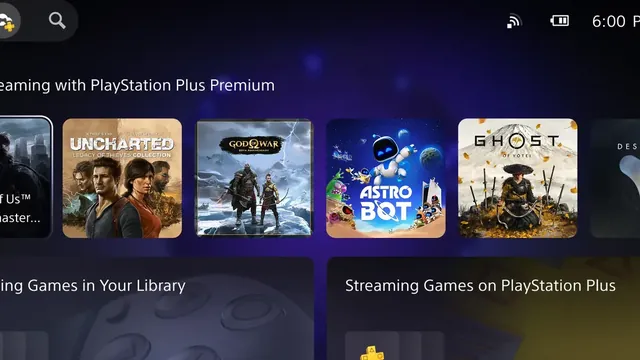
Cloud streaming is the part most exposed to an outage, since the game runs on Sony's servers rather than your console. PlayStation Portal players who stream PS Plus Premium games need a steady connection on top of a working PSN; our guide to GTA 6 on PS Portal explains how the game works there. Sony has also said the PlayStation Plus PC app will be decommissioned on December 11, 2026, while cloud streaming on PS5, PS4 and the Portal carries on.
When to contact PlayStation Support
Sony's guides end at the same place when the steps above don't help: the Online Assistant, reached through Contact PlayStation Support on its support site. That is the route for account problems the status page can't show, such as a locked account or details changed without your permission.
For connection faults that survive a router restart, a cable and a fresh system update, Sony points players to PlayStation Repairs, its support tool for more connection troubleshooting. If the status page later shows an alert, the fix is patience: Sony's own advice is to wait until the service is running again and then try once more.
FAQ
Does Sony compensate players after a long PSN outage?
It has. After a recent outage, Sony automatically added five extra days to every PlayStation Plus membership, with no action needed from members, and posted the notice on its support site.
Why can't my child's account play online when PSN is up?
Sony says network features such as online multiplayer can be limited by the child's age and the parental control settings on the family account, so check those settings before blaming the servers.
Where do I report a PSN problem that the status page doesn't show?
Sony points players to its Online Assistant through Contact PlayStation Support, which handles sign-in, account and connection problems the status page can't fix.
Add VR.one as a preferred source on Google and our stories show up more often in your Top Stories.