PS5 update
The third PS5 firmware in four weeks carries one line of patch notes, and it stands between every PlayStation player and Vice City on launch night.
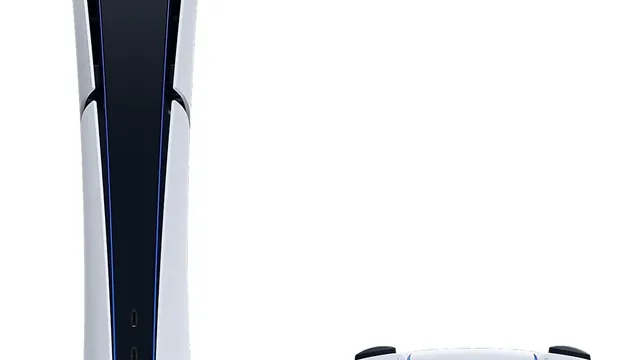
The PS5 update you need right now is system software version 26.07-14.23.00, and Sony says it is required before playing Grand Theft Auto VI. PlayStation Support US asked players to download it "prior to midnight on November 19" so they are ready when the game unlocks at 12 a.m. local time on Thursday, November 19, 2026. The download is about 1.2 GB, it carries a single patch note, "We've made some security fixes to the system software," and you install it from Settings, System, System Software, System Software Update and Settings. A pre-loaded copy of GTA 6 does not stand in for it: the game and the console firmware are two separate downloads.
What is in PS5 update 14.23
Sony's official list of PS5 system software features shows 26.07-14.23.00 as the latest version, with one line under it about security fixes. That is the whole changelog. There are no new menus, no new features for PS5 Pro and no change to how games look or run.
The version number reads in two parts. The 26.07 prefix marks the system software branch, and 14.23 is the build players talk about, so "firmware 14.23" and "26.07-14.23.00" mean the same thing.
Sony hasn't said what the security fixes close or why Rockstar's game is tied to them. Reports link the run of recent updates to claims that older PS5 firmware has been cracked open by hackers, and Sony has not confirmed that either. What Sony has put in writing is narrower and more useful for anyone with a console: install this version, and do it before midnight.
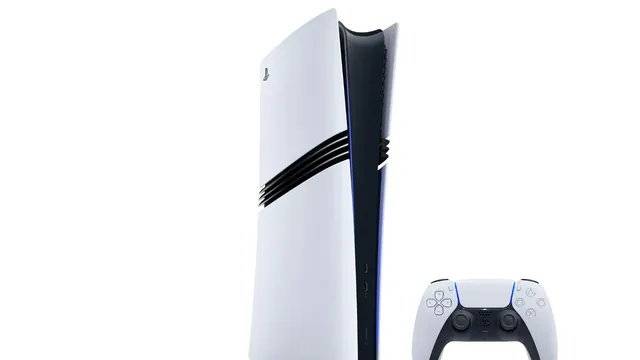
How to install the PS5 update
The fastest way is by hand. Sony's support page gives these steps:
- From the home screen, open Settings and select System.
- Select System Software, then System Software Update and Settings.
- If "Update Available" shows, select Update System Software.
- Leave the console alone until it restarts. Sony warns that turning it off during the installation can damage it.
The update file itself is small next to the game it unlocks. Grand Theft Auto VI asks for up to 212 GB, a figure we break down in our story on GTA 6 storage on PS5 and Xbox, while the firmware weighs about 1.2 GB. On most home connections the download finishes in minutes, and the install step takes a few more.
If the download stalls, Sony's fix is short. Press the PS button to open the control center, pick Downloads/Uploads, highlight the system software update, then choose View Error Info and Try Again.
Updating from a USB drive
When repeated downloads fail, Sony offers a way around the console's own connection:
- On a PC or Mac, format a USB drive as FAT32 or exFAT and create a folder named PS5, with a folder named UPDATE inside it.
- Download the PS5 update file from Sony's support page and save it in UPDATE as PS5UPDATE.PUP, in capital letters. Sony asks for about 1.1 GB of free space.
- Turn the console off, plug in the drive and start the PS5 in Safe Mode, a recovery menu you reach by holding the power button and letting go after the second beep.
- Pick Update System Software, then Update from USB Storage Device.
The same page lists a second file, the reinstallation file. That one wipes the console back to factory state and deletes everything on it, saves and screenshots included, so leave it alone unless Sony support tells you to use it.
When to install it before GTA 6 unlocks
Sony and Rockstar both set the launch at midnight local time on November 19, 2026, in every region, which our GTA 6 release time guide covers in full. Sony's deadline for the firmware is the same moment, so the safe window is any time before your own clock hits midnight.
| Where you play | GTA 6 unlocks | Install the update before |
|---|---|---|
| Eastern time | 12 a.m. ET, November 19, 2026 | 11:59 p.m. ET, November 18, 2026 |
| Central time | 12 a.m. CT, November 19, 2026 | 11:59 p.m. CT, November 18, 2026 |
| Mountain time | 12 a.m. MT, November 19, 2026 | 11:59 p.m. MT, November 18, 2026 |
| Pacific time | 12 a.m. PT, November 19, 2026 | 11:59 p.m. PT, November 18, 2026 |
| Alaska and Hawaii | 12 a.m. local, November 19, 2026 | 11:59 p.m. local, November 18, 2026 |
Installing early has a practical edge. At midnight millions of consoles will reach for the same servers at once, both for the game's last files and for anything else a player put off. A console that already shows 26.07-14.23.00 has one less thing to wait for.
To check which version you run, go to Settings, System, System Software, then Console Information. The line for system software should read 26.07-14.23.00.
PS5 settings to turn on before launch night
Sony's Grand Theft Auto VI support page lists the settings that let the console finish everything while you sleep or work. Each one also covers the next firmware, whenever Sony ships it.
| Setting | Where to find it | What it does |
|---|---|---|
| Download Update Files Automatically | Settings, System, System Software, System Software Update and Settings | Fetches new firmware without asking |
| Install Update Files Automatically | Same menu | Installs the firmware in rest mode |
| Auto-Install in Rest Mode | Settings, Saved Data and Game/App Settings, Automatic Updates | Applies game patches while the console sleeps |
| Stay Connected to the Internet | Settings, System, Power Saving, Features Available in Rest Mode | Keeps the network on in rest mode |
| Console Sharing and Offline Play | Settings, Users and Accounts, Other | Lets other accounts on the console play your copy |
After that, put the PS5 in rest mode from the control center, under Power and Enter Rest Mode, rather than switching it off. A console that is fully off downloads nothing.
The last line in the table matters in homes with more than one player. Without it, a second account on the same PS5 can find GTA 6 locked even with the firmware in place, because the license sits with the account that bought the game.
Why Sony keeps shipping PS5 updates
Version 14.23 is the third PS5 update in about four weeks, and the second in a row with nothing but security fixes. Sony's own changelog shows the pattern plainly: the last three versions carry almost no features, and two of them say nothing at all beyond security.
| Version | What Sony's patch note says |
|---|---|
| 26.07-14.23.00 | Security fixes to the system software |
| 26.07-14.22.00 | Security fixes to the system software |
| 26.07-14.20.00 | Improved messages and usability on some screens |
| 26.06-14.10.00 | Security fixes, plus performance and stability |
| 26.06-14.00.00 | Enhanced PSSR on by default for PS5 Pro, a speaker indicator in voice chat, the Community Activity widget |
Version 14.23 arrived on November 17, 2026, two days before the biggest launch of the console's life. The timing tells the story Sony won't spell out: whatever the fixes close, the company wants every PS5 that runs Grand Theft Auto VI on the same, newest build. Most of the year's feature work landed earlier, in the 14.00 release that made enhanced PSSR, Sony's upscaling for PS5 Pro, the default.
For players the cost is small: a gigabyte or so of download and a restart. The catch is the deadline: this time the game and the firmware share one date, so a console that misses the update misses the launch.
PS5 Pro, PS5 Digital Edition and PlayStation Portal
Every PS5 model takes the same file. The PS5 Pro, the slim PS5 with a disc drive and the PS5 Digital Edition all show 26.07-14.23.00 as their latest version, and none of them gets anything extra this time. If you are still weighing which console to play on, our side-by-side of PS5 vs PS5 Pro lays out the differences.
PlayStation Portal works differently. It plays games by streaming them from your PS5 over Wi-Fi, so the console at home is what has to run the new firmware. Players who plan to start GTA 6 in bed on the Portal should wake the PS5 now, let it update, and put it back in rest mode with the network left on. Our guide to GTA 6 on PlayStation Portal covers the rest of that setup.
GTA 6 patches are a separate download
The firmware is Sony's. The game's own patches come from Rockstar and arrive through the game's entry in your library, not through System Software. Reports show Grand Theft Auto VI already at version 1.002.001 on PS5 before launch, and Rockstar hasn't published notes for it. With Auto-Install in Rest Mode on, the console picks up such patches by itself.
The two downloads also have separate help desks. Sony's GTA VI support page sends players to PlayStation Support for problems with the account, the download, installing the game and the game failing to launch, and to Rockstar Support for gameplay issues, patches and bugs. If the game refuses to start on launch night, check the system software version first, then the download queue, then go to PlayStation Support.
If the GTA 6 download itself has stalled, Sony's checklist is short: confirm you are signed in to the account that bought the game or redeemed the code, that the console is online, that there is enough free storage, and that the system software is current. Pausing and resuming the download in Downloads/Uploads fixes most stuck queues. Deleting the partial download and starting over from Game Library is the last resort, because it throws away everything already on the drive.
Do Xbox and PC players need an update?
This requirement is Sony's alone. On Xbox Series X and Series S, Grand Theft Auto VI launches at the same midnight local time, and Microsoft hasn't announced a console update tied to the game.
There is no PC version to update yet. Rockstar and Take-Two list Grand Theft Auto VI for PS5 and Xbox Series X and S only, and our story on the GTA 6 PC release date tracks what the studio has said about a computer version.
For PlayStation players, the to-do list for tonight fits in one line: install 26.07-14.23.00, leave the console in rest mode with the internet on, and let midnight do the rest.
FAQ
Will GTA 6 start if I skip the PS5 update?
Sony calls version 26.07-14.23.00 required before playing Grand Theft Auto VI, so plan on the game asking for it at launch. Installing it takes a few minutes once the file is on the console, so there is no reason to wait.
Do I need the update if I play GTA 6 on PlayStation Portal?
Yes. The Portal streams the game from your PS5, so the console itself has to run the new system software. The Portal keeps its own separate software, which it updates on its own screen.
Can I turn off automatic PS5 updates after launch?
You can. The two switches for downloading and installing system updates sit under System Software Update and Settings, and you can turn either one off at any time. Games that need a newer version will still ask for it before they start.
Add VR.one as a preferred source on Google and our stories show up more often in your Top Stories.