Xbox Playback: How to See Your Lifetime Xbox Recap Before December 31
Microsoft's 25th anniversary recap covers every Xbox generation, but it only counts what your account recorded, and it needs one achievement to start.
Xbox Playback, Microsoft's personal recap of your whole history on Xbox, went live on November 12, 2026, and you can watch it until December 31, 2026. Open it on an Xbox console from the option on the dashboard, or sign in at xbox.com/playback on the web. It works in 15 countries, the US among them, and your account needs at least one achievement, 1 Gamerscore and one minute of play to qualify.
What is Xbox Playback?
Playback is the recap Microsoft built for the 25th anniversary of Xbox. It was announced on November 12, 2026, in Seattle at the last stop of the eight-city Xbox FanFest tour, alongside a batch of other anniversary news.
Unlike a year-end summary, Playback reaches back across every Xbox generation your account has touched. Microsoft calls it highlights from your "available Xbox history," and that word, available, matters: the recap can only show what your profile recorded. Someone who started on the original console with the chunky Duke controller and someone who bought a Series S this spring both get one, but the second person's story will be a lot shorter.
The recap comes in two layers:
- The Playback video. A short personalized video that walks through your Xbox story, with your first game, your total time played and your most-played game.
- The Playback Archive. A web page with more of your history to dig through, including your first milestones and your biggest achievements.
Microsoft says it is rolling the feature out gradually, so a recap that isn't there in the morning may show up later the same day.
How to see your Xbox Playback on console and on the web
There are two ways in, and they show slightly different things.
On an Xbox console. Sign in to your profile on your Xbox console and look for the Playback option on the dashboard. Select it to play your video on the TV. At the end of the video, a QR code appears. Scan it with your phone to get your Playback card, a shareable image of your highlights.
On the web. Go to xbox.com/playback in any browser and select Sign in, then use the Microsoft account tied to your Xbox profile. The web page plays the same personalized video and adds a Share button for the card. The web is also where the Playback Archive lives, the deeper page with your first milestones and biggest achievements.
A few practical points:
- Sign in with the account that holds your Gamerscore. Playback reads one profile's history, so if you have an old profile and a newer one, check the one you played on most.
- If nothing shows up, wait. Microsoft rolled Playback out through November 12, 2026, and says some data can take time to appear.
- The console version has an extra condition, covered below: the account needs at least one minute of play on a console, not only on PC or in the cloud.
| Where | What you get | How to open it |
|---|---|---|
| Xbox console | Personalized video, QR code for your Playback card | Playback option on the dashboard |
| Web browser | Personalized video, Share button, Playback Archive | xbox.com/playback, then Sign in |
What stats Xbox Playback shows
Microsoft lists the main pieces of the recap and adds "and more," so the exact screens vary by player. Here is what it has named:
| Stat | What it tells you | Where it shows |
|---|---|---|
| First Xbox game | The earliest game your account recorded | Playback video |
| Total time played | All the hours your profile has logged on Xbox | Playback video |
| Most-played game | The game you spent the most time in | Playback video |
| Top years | The years you played the most | Playback video |
| Longest streak | Your longest streak of play, as Xbox counts it | Playback video |
| First milestones | Early moments on your account | Playback Archive |
| Biggest achievements | Your standout unlocks | Playback Archive |
Two things are worth knowing before you go looking for your oldest memories.
First, the recap runs on account data. Microsoft's fine print says Playback is "based on available data" and that some of it may be incomplete or delayed. If a game you remember from years ago is missing, the most likely reason is that your profile never recorded it, not that the feature is broken.
Second, achievements have just reached a few older games. On the same day Playback launched, Microsoft added achievements for the first time to four original Xbox games: Star Wars: Knights of the Old Republic, Star Wars: Knights of the Old Republic II (The Sith Lords), BLiNX: The Time Sweeper and Conker: Live and Reloaded. They work on Xbox One and Xbox Series consoles after the latest system update, and in some cases they unlock from progress you have already made. Microsoft hasn't said whether those new unlocks will show up in a Playback recap before December 31, 2026.
Who can get Xbox Playback: countries and requirements
Playback runs from November 12 through December 31, 2026, in 15 countries:
- The Americas: United States, Canada, Mexico, Brazil, Argentina, Colombia
- Europe: United Kingdom, France, Germany, Italy, Spain, Poland, Hungary
- Elsewhere: Australia, South Africa
Your account also has to meet a small bar:
| Requirement | Web | Console |
|---|---|---|
| Gamerscore | At least 1 | At least 1 |
| Achievements | At least 1 | At least 1 |
| Qualifying gameplay on the profile | At least 1 minute | At least 1 minute |
| Gameplay on a console | Not required | At least 1 minute |
Gamerscore is the running point total your achievements add up to, so an unlocked achievement that carries points covers the first two rows. The last row is the one that trips people up: if you only play on PC, the web version is your way in, because the console version needs at least a minute of play on a console.
How to share your Xbox Playback card
After the video, you can get a Playback card, a single image that sums up your highlights. Getting it depends on where you watched:
- Console: scan the QR code shown at the end of the video with your phone, and the card opens there.
- Web: select Share on the Playback page.
From there you can send it to friends or post it with the hashtag #XBOXPlayback, which Microsoft is using to collect them. Sharing is something you start yourself; Microsoft describes no setting that posts the card for you. If you would rather keep your hours to yourself, simply skip the QR code and the Share button.
Why your Xbox Playback is missing or incomplete
If the dashboard shows no Playback option, or the web page has little to say, run through these causes in order:
- The rollout hadn't reached you yet. Microsoft turned Playback on gradually through November 12, 2026, and said not to worry if it didn't appear right away.
- You're signed in to the wrong profile. The recap belongs to one Xbox profile. Check which gamertag you are signed in with on the console or the web page.
- Your country isn't on the list. Playback is limited to the 15 countries above, so an account set to another country won't get it.
- Your account is too new or too quiet. It needs at least one achievement, 1 Gamerscore and one minute of qualifying play. For the console version, that minute has to be on a console.
- Your old history was never recorded. Microsoft warns that some data may be incomplete or delayed, and the recap can only show what your profile holds.
Microsoft hasn't published a support page or a way to request missing data for Playback, so for gaps in older history, the honest answer is that what you see is what your account has.
What else Xbox announced for its 25th anniversary
Playback was one item in a longer list Microsoft read out in Seattle on November 12, 2026. The pieces that matter most for your console or PC:
- 25 original Xbox games on PC. Backward compatibility on PC, which lets Windows 11 machines run games made for the first Xbox, grew by 21 games to 25. The new batch includes Star Wars: Knights of the Old Republic, The Elder Scrolls III: Morrowind and both TimeSplitters sequels, and every game in the program now supports mouse and keyboard. That also covers handhelds such as the ROG Xbox Ally family.
- New console features for Insiders. Members of the Alpha Skip-Ahead ring, the earliest tier of the Xbox Insider test program, can now shuffle favorite dynamic backgrounds on Home at sign-in or every hour, day or week, put the Guide on the right side of the screen, and sort games with a claimed digital license for a disc into their own library category. Microsoft says these reach more players over time, with no date yet.
- Halo: Campaign Evolved gets Firefight. The cooperative survival mode arrives in a free Winter Update.
- Free anniversary items. An OG Green character item in Minecraft: Bedrock Edition can be claimed until December 10, 2026, at 10 a.m. PT (1 p.m. ET), and Gears of War: E-Day offers an anniversary weapon skin set free in its shop until the shop rotates on Tuesday, November 17, 2026.
- Two games in development. Wolfenstein 3 is in production at MachineGames, and id Software's next project is in development.
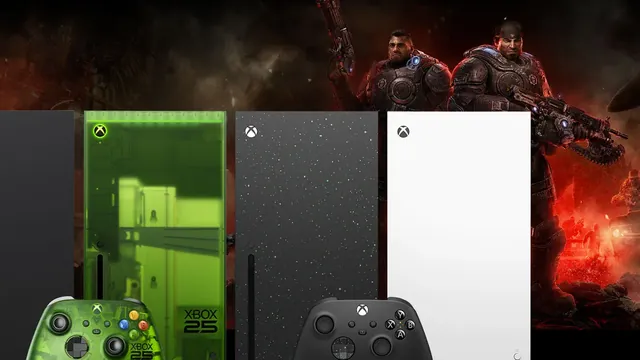
The anniversary hardware launched a day later. The numbered Xbox Series X25 Limited Edition went on sale November 13, 2026, and Microsoft is also giving away games with new Windows PCs through its 25th anniversary PC offer. If Playback reminds you of a series you want to go back to, the Game Pass lineup for November 2026 shows what is coming to the service and what is leaving.
Playback itself has a hard stop. Watch it, grab your card, and save anything you want to keep before December 31, 2026, when its run ends in all 15 countries.
FAQ
Can I see Xbox Playback in the Xbox app on my phone?
Microsoft names two places to watch it: the console dashboard and the Playback page on the web. A phone browser can open the web version, since it only asks you to sign in with your Xbox account.
Does Xbox Playback cost anything or need Game Pass?
It is free with any Xbox account. Microsoft lists no subscription among the requirements, only a little play history on the profile.
Will Xbox Playback come back next year?
Microsoft has only given an end date for this edition, December 31, 2026. It has said nothing yet about a 2027 recap.
Add VR.one as a preferred source on Google and our stories show up more often in your Top Stories.