SteamOS 3.10
The first test build of Valve's next system update fixes how variable refresh behaves, adds HDR controls for Asus's newest Xbox handheld and moves the desktop to KDE Plasma 6.8.
SteamOS 3.10 is out as a Preview build, Valve's opt-in test channel, since November 13, 2026. Version 3.10.0 adds HDMI 2.1 variable refresh rate (VRR), FRL and ALLM on AMD graphics, mesh shader support for Nvidia cards from the Turing generation on, HDR and brightness controls for the ASUS ROG Xbox Ally X20, the Linux 7.3 kernel and KDE Plasma 6.8.2 in Desktop Mode. It's free, like every SteamOS update, and anyone with a Steam Deck can opt in today from Settings, under System.
Valve posted the notes at 9:04 p.m. ET (6:04 p.m. PT) on November 13, 2026, one day after a smaller 3.9.6 beta. Valve calls 3.10.0 an early build that "may contain unexpected bugs or stability issues", and the list it published is an overview, not every change since SteamOS 3.9 reached the Stable channel on October 23, 2026.
What's new in SteamOS 3.10
The update touches four areas: the base system, Game Mode (the console-style interface you see on a Deck or a TV), graphics drivers and the Linux kernel underneath.
| Area | What changes in 3.10.0 |
|---|---|
| System base | Updated Arch Linux base, Linux kernel 7.3, security and stability fixes |
| Desktop Mode | KDE Plasma 6.7.3 replaced by Plasma 6.8.2 |
| Game Mode | VK_EXT_present_timing, better VRR frame pacing, HDR fixes, ROG Xbox Ally X20 HDR and brightness |
| AMD graphics | HDMI 2.1 VRR, FRL and ALLM |
| Nvidia graphics | Mesh shaders on Turing and newer, stability and performance fixes |
| Fixes | False Slow Charger alert, Bluetooth audio drops between modes, time zone data |
The kernel jump matters more than its single line suggests. SteamOS 3.9 moved to Linux 7.2 only weeks ago, and 3.10 goes straight to 7.3. A new kernel brings newer hardware drivers, which is how SteamOS keeps up with chips that weren't on sale when the Steam Deck launched.
HDMI 2.1 VRR on AMD graphics
The biggest line in the notes is short: "Added support for HDMI 2.1 VRR, FRL, and ALLM" on AMD graphics. Each of the three is a feature TV owners ask about.
- VRR, variable refresh rate, lets the screen refresh the moment a frame is ready instead of on a fixed beat. Games that hover between 40 and 60 frames per second stop tearing and stuttering.
- FRL, Fixed Rate Link, is the signaling method HDMI 2.1 uses to carry more data than HDMI 2.0. It's what opens up higher resolutions and refresh rates over one cable.
- ALLM, Auto Low Latency Mode, tells a TV to switch into its game mode by itself when a game starts, cutting input lag without a trip through the TV's menus.
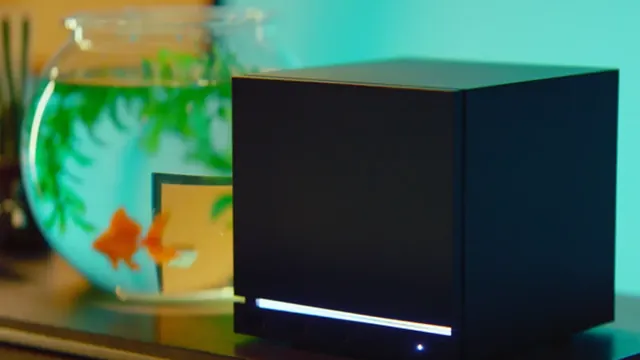
Who gains from it depends on the hardware. The Steam Machine, Valve's living room console, runs a semi-custom AMD desktop-class processor and graphics chip, and Valve's own spec sheet lists its ports as "DisplayPort 1.4. HDMI 2.0." The HDMI port is labeled 2.0, so whether a given TV gets the new features over that cable depends on what the port itself can carry. Valve's 3.10 notes don't single out the Steam Machine, and Valve hasn't said which of its devices gains what from this change.
Gaming PCs with AMD Radeon cards and an HDMI 2.1 port are the clearest winners, since SteamOS runs on AMD-based desktops too. Valve lists one known problem: the display may stay blank on the Dell G3223Q, a 32-inch 4K gaming monitor with HDMI 2.1 ports. If you own one, wait for a later build or connect over DisplayPort.
Better frame pacing with VRR in Game Mode
VRR support only helps if the system around it behaves, and several changes in Game Mode go after its rough edges.
Frame timing improves when the frame rate limiter, the Steam setting that caps how many frames a game draws per second, runs together with VRR. Screen flicker with VRR on is reduced while you move around the Steam interface or leave it idle.
The mouse cursor gets a fix too. Under VRR it now follows the game's frame rate when the game runs above 30 frames per second, instead of pushing the panel up to its maximum refresh rate each time it moves.
Valve also added support for VK_EXT_present_timing, a Vulkan extension, meaning a hook in the graphics interface most Linux games use, that lets a game ask when its frames will actually appear on screen. Games and translation layers can use it to pace frames more evenly. Players won't see a setting for it; they'll notice it only when the software built on top starts to use it.
HDR fixes and the ROG Xbox Ally X20
HDR, high dynamic range, the format that shows brighter highlights and deeper shadows, gets two changes. Valve fixed a bug where scaling made some HDR games look overexposed, naming Control as one of them. It also fixed games such as UBOAT and The Fruit of Grisaia, where the image flickered and showed stale frames in Game Mode.
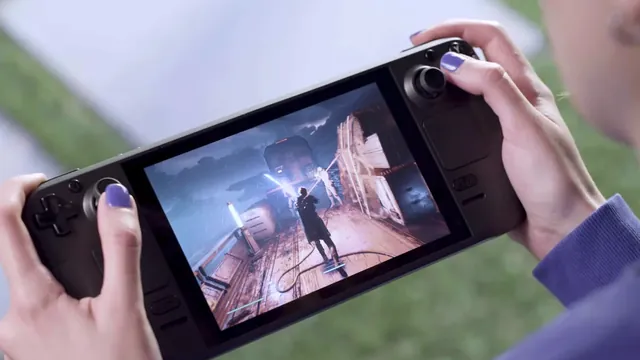
The ASUS ROG Xbox Ally X20 gains HDR support and brightness adjustment under SteamOS. The Ally X20 is Asus's Windows 11 handheld with Xbox branding, priced at $1,299 on its own; our ROG Xbox Ally X20 price story breaks down the editions. It ships with Windows, so the change serves owners who install SteamOS on it instead.
That line fits a pattern. SteamOS 3.9 fixed crashes and added brightness control for Lenovo's Legion Go 2, as our SteamOS 3.9 update story covers, and 3.10 extends the same care to Asus. Handhelds Valve doesn't make keep getting their own lines in the notes.
Nvidia mesh shaders on SteamOS
Nvidia graphics get the second-biggest change: support for mesh shaders on Turing and newer cards. Turing is the generation that began with the GeForce RTX 20 series, so every RTX card qualifies.
Mesh shaders are a newer way for a game to tell the graphics chip how to build its 3D shapes. They let the card skip work on geometry the player will never see, and a growing number of recent PC games depend on them. Without support, those games can refuse to start or run poorly.
Valve also lists general stability and performance improvements for Nvidia hardware, plus fixes for corrupted images in Shadow of the Tomb Raider and The Surge 2. All of this matters to people who install SteamOS on their own gaming PC: the Steam Deck and the Steam Machine run on AMD chips. For anyone hoping to turn a desktop with a GeForce card into a living room console, 3.10 narrows the gap.
KDE Plasma 6.8 in Desktop Mode
Desktop Mode, the PC-style desktop behind the game interface, moves from KDE Plasma 6.7.3 to Plasma 6.8.2. KDE released Plasma 6.8 on October 14, 2026, the day of the project's 30th birthday, and 6.8.2 is a bug-fix release of that version.
For SteamOS users, a few of Plasma 6.8's changes stand out:
- A rule for Steam's own window. Plasma 6.8 can add shadows, outlines and rounded corners to apps that draw their own window frames, and it ships with one such rule for Steam, so the client looks at home on the desktop.
- System Monitor upgrades. You can pin heavy tasks to the processor cores you choose, and video memory use now shows as a percentage.
- Screen recording with sound. The built-in Spectacle tool can record system audio and the microphone together, handy for capturing a clip with commentary.
- A dwell clicker. The pointer can click by itself when it stops moving, an accessibility feature for players with limited mobility.
Two smaller system fixes round out the list: the "Slow Charger" alert no longer appears by mistake, and Bluetooth audio stays connected when you switch between Desktop Mode and Game Mode. Valve also refreshed time zone data for Cuba and for Manitoba and the Northwest Territories in Canada.
How to install SteamOS 3.10 Preview
The build sits on the Preview channel, and joining takes a minute:
- Open Settings and go to System.
- Find System Update Channel and pick Preview.
- Go back to the update screen and install the update.
Valve asks testers to file bugs on its public SteamOS issue tracker on GitHub. Preview builds are for people who want new features early and accept the risk of new bugs: if your Deck is your main way to play, the Stable channel is the calmer choice.
| Channel | What it gets | Who it suits |
|---|---|---|
| Stable | SteamOS 3.9, tested builds | Most players |
| Beta | Smaller test updates such as 3.9.6 | Players who want fixes early |
| Preview | SteamOS 3.10.0 and new features | Testers ready for bugs |
Which devices get SteamOS 3.10
Valve published the 3.10.0 notes on the Steam Deck's news page and describes the build as an update for the Steam Deck Preview channel. Any Steam Deck can join it.
Several changes clearly reach beyond the Deck. HDMI 2.1 features, Nvidia mesh shaders and HDR fixes for TVs serve living room setups and desktop PCs, while the ROG Xbox Ally X20 line is about a handheld Valve doesn't make. The Steam Machine went on sale June 22, 2026, at $1,049.00 for the 512GB model and $1,349.00 for 2TB, and Valve hasn't said when its owners get 3.10.

If you're weighing a Deck against Valve's other hardware, our Steam Deck average frame rate story shows how the handheld holds up in today's games. Valve hasn't said when 3.10 will reach the Stable channel; until then, the Preview build is the only way to try it.
FAQ
When will SteamOS 3.10 come out for everyone?
Valve hasn't given a date for the Stable release. SteamOS 3.9 spent close to two months in Preview before it went out to every user, which gives a rough idea of the pace, not a promise.
Can I go back to the Stable channel after trying the Preview?
Yes. Set the System Update Channel back to Stable in the same Settings menu, and the device follows Stable builds again from Valve's next Stable release.
Does SteamOS 3.10 change anything for Steam Frame owners?
Valve's notes for this build list no headset-specific changes. The VRR, HDR and graphics driver work is aimed at screens and TVs connected to a Deck, a Steam Machine or a PC.
Add VR.one as a preferred source on Google and our stories show up more often in your Top Stories.