Switch 2 vs Switch 1
The new console plays most Switch games and takes your old controllers, but its battery life is shorter and plain microSD cards no longer hold games.
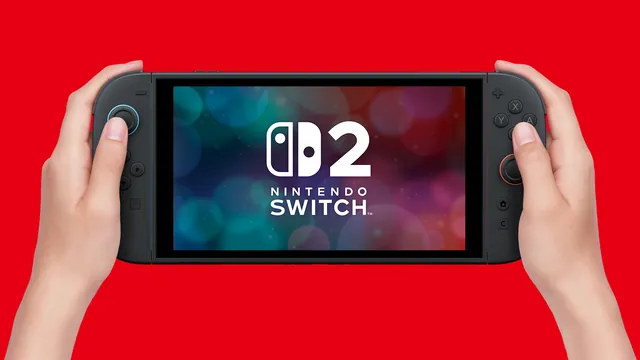
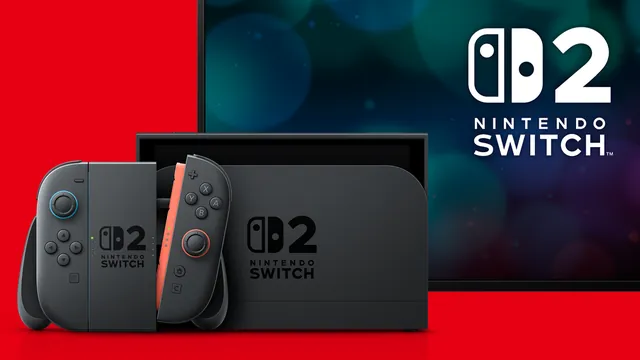
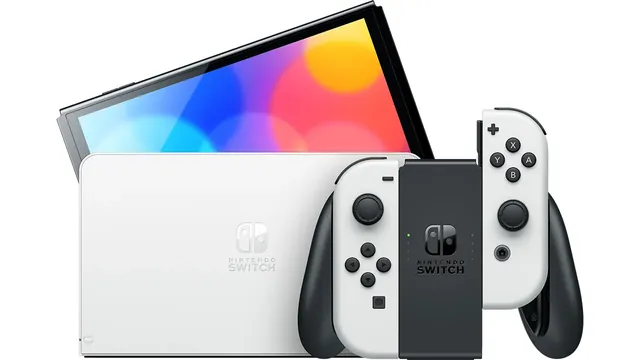
Nintendo Switch 2 is the bigger, sharper and faster console: a 7.9-inch 1080p screen with HDR and a 120 Hz refresh rate against the original Switch's 6.2-inch 720p panel, up to 4K output on a TV instead of 1080p, and 256 GB of storage instead of 32 GB or 64 GB. It costs $499.99 at Nintendo's US store, while the original Switch family runs $229.99 for the Lite, $339.99 for the standard model and $399.99 for the OLED Model. Switch 2 plays most Switch games and accepts the old Joy-Con and Pro Controller, but its battery lasts about 2 to 6.5 hours, against 4.5 to 9 hours on the original.
That trade sums up the choice for anyone shopping this holiday season. The new console is a clear step up for TV play and the only way to run games made for Switch 2. The older consoles still make sense for long trips, for a child's first system or for a household that mostly plays the existing library. All specs below come from Nintendo's own technical pages, and prices are Nintendo's US store prices as of November 23, 2026.
Switch 2 vs Switch specs side by side
Nintendo sells three versions of the original Switch. The table compares Switch 2 with the standard Switch and the OLED Model, the two that dock to a TV like the new console does.
| Spec | Switch 2 | Switch OLED Model | Switch (standard) |
|---|---|---|---|
| Screen | 7.9-inch LCD, 1920x1080, HDR10, VRR up to 120 Hz | 7.0-inch OLED, 1280x720 | 6.2-inch LCD, 1280x720 |
| TV output | Up to 4K at 60 fps, 120 fps at 1080p or 1440p | Up to 1080p | Up to 1080p |
| Processor | Custom chip made by NVIDIA | NVIDIA custom Tegra | NVIDIA custom Tegra |
| Storage | 256 GB | 64 GB | 32 GB |
| Memory cards | microSD Express only, up to 2 TB | microSDHC and microSDXC, up to 2 TB | microSDHC and microSDXC, up to 2 TB |
| Wireless | Wi-Fi 6, Bluetooth | Wi-Fi 5 (802.11ac), Bluetooth 4.1 | Wi-Fi 5 (802.11ac), Bluetooth 4.1 |
| Battery | 5,220 mAh, about 2 to 6.5 hours | 4,310 mAh, about 4.5 to 9 hours | 4,310 mAh, about 4.5 to 9 hours |
| Size with controllers | 4.5 x 10.7 x 0.55 inches | 4 x 9.5 x 0.55 inches | 4 x 9.4 x 0.55 inches |
| Weight with controllers | About 1.18 lbs | About 0.93 lbs | About 0.88 lbs |
| USB-C ports | 2 (bottom and top) | 1 | 1 |
| Built-in microphone | Yes, with noise and echo cancellation | No | No |
| US price | $499.99 | $399.99 | $339.99 |
Wi-Fi 5 is the common name for the 802.11ac standard that Nintendo lists for the original consoles. The thickness is the same 0.55 inches across all three, measured without the sticks and shoulder buttons.
Switch 2 screen and resolution vs Switch
The screen is the change you notice first. Switch 2's 7.9-inch LCD shows full 1080p in handheld and tabletop modes, 2.25 times the pixel count of the original's 720p screens. It supports HDR10, which widens the range between dark and bright parts of the picture, and variable refresh rate (VRR) up to 120 Hz, which lets the screen match a game's frame rate so motion looks smoother when a game can't hold a steady speed.
The OLED Model still has one thing going for it: OLED panels light each pixel on their own, so blacks look truly black. Its 7-inch screen is smaller and lower in resolution, though, and Nintendo lists no HDR for it.
On a TV the gap grows. The original Switch tops out at 1080p through its dock. Switch 2 outputs up to 4K at 60 frames per second, and 120 frames per second at 1080p or 1440p, with HDR10 and VRR up to 120 Hz on the TV as well. Those are the console's limits: each game sets its own resolution and frame rate, and Nintendo describes 4K as available "in supported games" on a compatible TV.
Switch 2 battery life vs Switch OLED
Battery is the one line where the original wins. Nintendo rates Switch 2 at about 2 to 6.5 hours per charge, depending on the game, even though its battery is bigger at 5,220 mAh. The OLED Model and the current standard Switch are rated at about 4.5 to 9 hours from a 4,310 mAh battery, and Nintendo gives about 5.5 hours for The Legend of Zelda: Breath of the Wild as an example.
The bigger, brighter screen and the faster chip draw more power, so a long flight or road trip favors the older console. Charging time is about the same: roughly 3 hours for either system while it sleeps. Switch 2 adds a second USB-C port on top, so you can charge it or plug in an accessory while it stands on a table.
Storage and microSD Express cards
Switch 2 ships with 256 GB of internal storage, four times the OLED Model's 64 GB and eight times the standard Switch's 32 GB. Part of that space is kept for the system on every model.
Memory cards are the catch. Switch 2 takes only microSD Express cards, a newer and faster type, up to 2 TB. The microSDHC and microSDXC cards most Switch owners already have can't hold or run games on Switch 2: Nintendo says the console uses them only to copy screenshots and videos over from a Switch. Anyone moving a big digital library should budget for a new card, and our Switch 2 Black Friday guide lists what Nintendo's own storage accessories cost.
Game-key cards matter here too. Some Switch 2 boxes hold a game-key card, which carries no game data, only the key that unlocks a download. The full game goes onto internal storage or a microSD Express card, and the card still has to be in the slot each time you play. The required free space is printed on the box.
Do Switch games work on Switch 2?
Most do. Switch 2's card slot takes both Switch 2 and Switch game cards, and the console plays compatible physical and digital games released for the original Switch. Nintendo is careful with the wording: the hardware is different, and some Switch games may not be supported or may not work fully. It keeps a list of games with known issues on its compatibility page, and each game's page on its site and in the Nintendo eShop shows its status on Switch 2.
A few titles can't run at all. Nintendo Labo Toy-Con 04: VR Kit is out because the larger console doesn't fit into the cardboard goggles. Several video apps, Hulu and Crunchyroll among them, aren't available on Switch 2 either. Some games, Ring Fit Adventure first on Nintendo's list, need the original Joy-Con controllers, connected wirelessly, rather than the Joy-Con 2 in the box.
For select Switch games, publishers sell Nintendo Switch 2 Edition upgrade packs, which add sharper image quality, smoother frame rates and sometimes new modes. Other games get free updates when the console is online. Physical Switch 2 Edition games carry both the Switch game and its upgrade on one card, though some publishers ship a download code in the box instead.
The other direction is closed. Nintendo's support pages describe Switch 2 games as exclusive to the Switch 2 system, so they don't run on the original console.
Moving from Switch to Switch 2
Nintendo's System Transfer moves your purchased digital games, save data, parental controls and other settings from a Switch to a Switch 2. The digital games then download again on the new console by themselves. You need an internet connection and at least one user on the old Switch with a linked Nintendo Account. GameChat settings are the one thing you set up fresh.
A Nintendo Switch Online membership carries over as it is, and the Nintendo Switch Parental Controls phone app works with both consoles. On Switch 2 the app gets extra controls, such as seeing who a child chats with in GameChat or limiting video chat.
Joy-Con 2 vs Joy-Con
The new Joy-Con 2 snap onto the console with magnetic attachments, and each one has a mouse sensor, so a game can let you slide it across a table like a computer mouse. They add a C button that starts GameChat, Nintendo's voice and video chat, and HD Rumble 2 for vibration. Nintendo rates them at about 20 hours per charge. Our look at the Zelda Switch 2 Pro Controller covers the other first-party pad.
Old controllers carry forward. The original Joy-Con and the Switch Pro Controller work on Switch 2 in compatible games, including Switch 2 exclusives, unless a game needs a Joy-Con 2 feature such as mouse controls. Two limits apply: the HOME button on an old controller can't wake Switch 2 from sleep, and without a C button you start GameChat from the HOME Menu. The reverse doesn't work, as Nintendo's FAQ answers "No." to using Joy-Con 2 or the Switch 2 Pro Controller on a Switch.
GameChat itself is a Switch 2 feature. Up to 12 people can talk using the console's built-in microphone, and up to four can share video and their game screens with a compatible USB camera, sold separately. It needs a Nintendo Switch Online membership, and players under 16 need a parent's permission in the app.
Switch 2 vs Switch price in November 2026
Here is what each console costs at Nintendo's US store on November 23, 2026.
| Console | Nintendo store price | What you get |
|---|---|---|
| Switch 2 | $499.99 | Console, Joy-Con 2, dock |
| Switch 2 + Mario Kart World Bundle | $499.99 until December 5, 2026 | Console, Mario Kart World download, 3-month Nintendo Switch Online Individual Membership |
| Switch 2 + Nintendo Switch Sports Resort Bundle | $529.99 | Console, game download, 3-month Nintendo Switch Online Individual Membership |
| Switch OLED Model | $399.99 | Console, Joy-Con, dock |
| Switch (standard) | $339.99 | Console, Joy-Con, dock |
| Switch Lite | $229.99 | Handheld-only console with built-in controls |
The Black Friday offer makes the Mario Kart World Bundle the obvious way to buy Switch 2 right now: through December 5, 2026, it costs the same $499.99 as the console alone. Our Nintendo Black Friday 2026 story has the rest of the season's deals and dates.
Switch 2 costs $100.00 more than the OLED Model and $160.00 more than the standard Switch. For that money you get the higher-resolution screen, 4K output, four to eight times the storage and access to Switch 2 games.
The Switch Lite is a different machine. It has a 5.5-inch 720p screen, plays only in handheld mode, can't connect to a TV, and runs the Switch games that support handheld mode. Games that don't support handheld mode need separate controllers, connected wirelessly.
Should you upgrade from Switch to Switch 2?
If you play on a TV, want the new Switch 2 games or are still on the standard 6.2-inch model, Switch 2 is the upgrade. System Transfer brings your digital library and saves along, your old controllers keep working, and many Switch games get free updates or paid Switch 2 Edition upgrades on the new console.
If you mostly play handheld on long trips, the OLED Model's longer battery life and lower price still make a case, and its screen remains a good one. A Switch Lite at $229.99 is the cheapest way into the Switch library for a child, as long as the games you want support handheld mode.
Check two things before you buy. First, look up the Switch games you care about on Nintendo's site to confirm their Switch 2 status. Second, count your memory cards: a microSDXC card full of games won't run them on Switch 2, so plan on a microSD Express card or on fitting your library into the 256 GB inside.
FAQ
Can I use my Switch dock with a Switch 2?
Nintendo builds a separate Switch 2 dock, with a LAN port and two USB 2.0 ports, and it comes in the Switch 2 box. For older accessories in general, Nintendo says select ones keep working and points to its customer support pages for the list.
Will Switch 2 games play on the original Switch?
Switch 2 games are exclusive to the new system, Nintendo's support pages say, and the same goes for Joy-Con 2 and the Switch 2 Pro Controller, which its FAQ rules out on the older console.
Does Nintendo Switch Online carry over to Switch 2?
Yes. An existing membership keeps working on the new console, and members get GameChat on top. The GameCube classics need the Expansion Pack tier and a Switch 2.
Add VR.one as a preferred source on Google and our stories show up more often in your Top Stories.