GTA 6 Xbox auto upload bans
The setting that shares every capture by default meets a game rated for nudity and strong sexual content, and Xbox's rules already say what happens next.
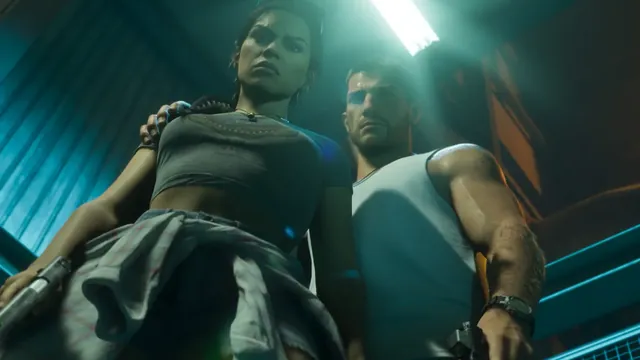
Xbox players who capture GTA 6 should turn off automatic uploads now: players report two-day suspensions after clips from the game went up to the Xbox network on their own. The fix takes under a minute. Press the Xbox button, go to Profile & system, then Settings, Preferences and Capture & share, and set Automatically upload to Don't upload. Your console keeps recording clips and screenshots on its own drive; it just stops sending them to Microsoft's servers, where moderators can review them against rules that bar mature sexual content. Microsoft hasn't commented on the GTA 6 reports as of November 21, 2026, and Rockstar Games hasn't either.
The reports started on launch night. Grand Theft Auto VI unlocked at midnight local time on November 19, 2026, on PlayStation 5 and Xbox Series X and S, and players soon began posting suspension notices that blocked uploads, messaging and online play for roughly 48 hours. PS5 owners aren't part of the reports: the problem sits in an Xbox setting, not in the game.
Why are GTA 6 players getting banned on Xbox?
The short answer is a collision between a default setting and a game built for adults. Xbox's own Community Standards say auto-upload and auto-share of clips and screenshots "may be on by default." With that switch on, every clip you save, goes to the Xbox network, where other players can see it and Microsoft can review it.
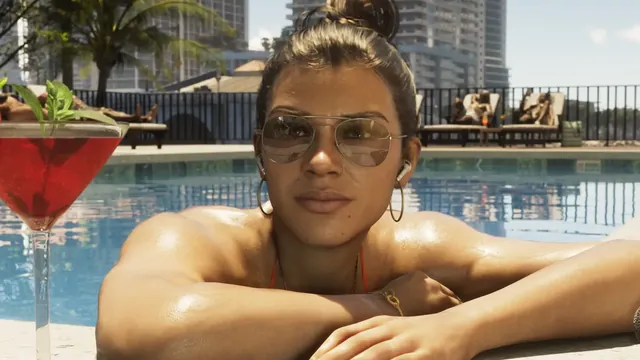
GTA 6 is rated M for Mature 17+ by the ESRB, and two of its seven content descriptors are Nudity and Strong Sexual Content. That content is fine inside the game. The trouble starts when it leaves the game. Xbox's rules make that distinction in plain words: "mature content that makes sense in a game might not be appropriate elsewhere in the Xbox community." The same page tells players not to "share or distribute screenshots or game clips that include mature sexual content."
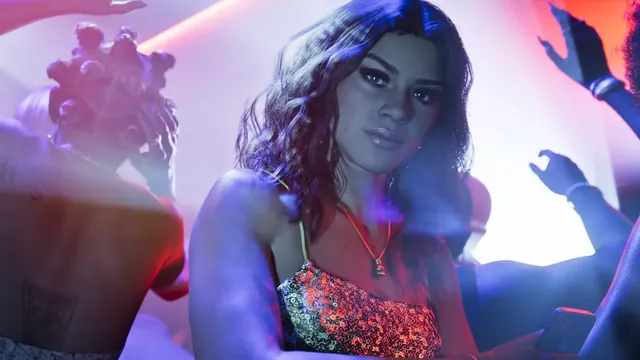
So a player who records a club scene, a cutscene with nudity or a beach in Vice City, and leaves auto-upload on, has in Xbox's terms shared that clip. Reports from players describe all three kinds of footage behind their notices, from story cutscenes to beach scenes, which suggests the line isn't drawn only at sex scenes.
How to turn off auto upload on Xbox
The setting lives in the same place on Xbox Series X and Xbox Series S. It applies to the profile that's signed in, so a household with several players needs to change it on each profile.
- Press the Xbox button on your controller to open the guide.
- Go to Profile & system, then Settings.
- Select Preferences, then Capture & share.
- Find Automatically upload and change it to Don't upload.
Nothing else on the console changes. You can still press the Share button, record clips and take screenshots. Those captures stay on the console's storage, or on an external drive if you point Capture location there, until you delete them or upload one yourself.
Two choices on the Capture & share screen shape where your GTA 6 footage ends up:
| Setting | What it controls | Safe choice for GTA 6 |
|---|---|---|
| Automatically upload | Sends each new capture to the Xbox network on its own | Don't upload |
| Capture location | Internal storage or an external drive | Either |
An Xbox console update tested with Xbox Insiders in August 2023 added an Automatic uploads section to Capture & share, with OneDrive, Microsoft's cloud storage, as a place for uploads. If you want an online copy of your GTA 6 footage without publishing it to your Xbox profile, a manual copy to your own storage is the cleaner route.
Will Xbox ban you for GTA 6 clips?
Xbox's rules point to suspensions, not lost accounts, for a first content problem. The Community Standards list what a content suspension can take away: the ability to upload game clips and screenshots, the offending content itself, your gamertag (Xbox can assign a new one), sharing to other social networks, and editing your profile or clubs. Conduct problems can also remove online multiplayer, messages, voice and text chat, and parties and clubs for a period of time. The reported GTA 6 notices match that list: uploads, communication and multiplayer blocked for about two days.
Since August 15, 2023, every enforcement on Xbox carries strikes, a points system Xbox compares to demerit points on a driver's license. The numbers come from Xbox's own announcement:
| Strikes on record | What Xbox says happens |
|---|---|
| 2 | Suspended for 1 day |
| 4 | Suspended for 7 days |
| 8 | Suspended from social features for 1 year from the enforcement date |
| Any | Each strike stays on your record for 6 months |
A suspended account still plays single-player games and keeps every game it bought, Xbox says. GTA 6's story mode is a single-player game, so a suspension doesn't stop you finishing Jason and Lucia's story. It stops you sharing it.
Permanent suspension is a different matter. Xbox keeps it for severe violations or repeated behavior it couldn't correct, and the owner of a permanently suspended profile forfeits all game licenses, Xbox subscription time and Microsoft account balances.
How to check your Xbox enforcement history and appeal
If a notice popped up during a GTA 6 session, the details are in your enforcement history. Xbox shows it on its support site after you sign in with your Microsoft account, and in the Xbox Assist app on the console. The page lists each enforcement, the strikes attached to it, what was restricted and when the restriction ends.
From there, Xbox lets players appeal eligible enforcements through a case review. A case review asks the Xbox Safety Team to look again at the clip or behavior behind the notice. When an enforcement is reversed, Xbox says the strike that came with it is removed too, so a successful appeal also clears your record.
An appeal makes the most sense if the flagged clip shows nothing beyond regular gameplay. For a short suspension it can also run out before a review ends, so the practical step comes first: switch off automatic uploads, then delete any GTA 6 captures already sitting on your Xbox profile that you wouldn't want reviewed. That keeps a second notice, and a second set of strikes, from following the first.
Are Xbox bans for clips automatic?
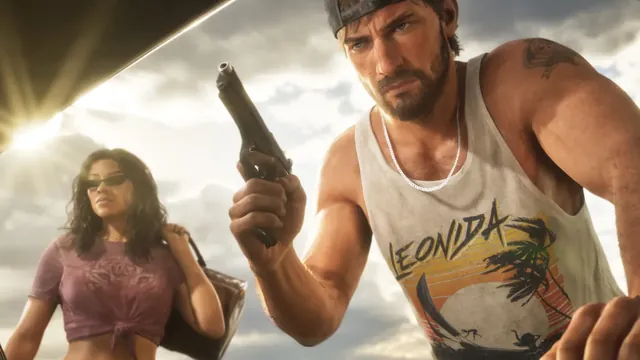
Xbox hasn't described how it reviews GTA 6 clips. What it has said about enforcement in general cuts both ways. When it introduced strikes in 2023, Xbox wrote that "there are no automated enforcement actions based solely on the fact that a report was made," and that only reports reviewed by the Xbox Safety Team and found accurate lead to an enforcement. The same post said fewer than 1% of all players received a temporary suspension in 2022, and that only a third of those received a second one.
That statement covers player reports. A clip that a console uploads on its own needs no report to be seen, and Xbox's rules say it removes content "to protect our customers" depending on the type of violation. The GTA 6 cases look like the second kind: nobody reported anything, the console simply published the footage.
This has happened before. In January 2024, Xbox players were suspended over automatically uploaded clips from Baldur's Gate 3, another M-rated game with nudity and sex scenes. Xbox's response at the time was the same advice players are trading now: turn auto-upload off. The current Community Standards, dated May 2024, carry the warning that auto-upload may be on by default, with a pointer to the settings.
What GTA 6 players on PS5 and parents should know
The reports come only from Xbox, because the trigger is an Xbox setting. That doesn't make shared clips risk-free elsewhere: every console maker has rules for what players post, and GTA 6 footage carries the same rating on any system. The safest habit on any console is the same one: keep captures local and share a clip only after you've watched it.
For families, the setting matters twice. A teen playing GTA 6 on a shared Xbox may also be uploading clips to a profile other players can browse. Our GTA 6 parents guide walks through the rating's seven descriptors and the console controls that limit who sees what. On Xbox, the Capture & share switch above is a quick extra step that keeps launch-week footage off the network.
If you're still setting up the console for the game, our guides to the GTA 6 release time and to running it on the Xbox Series S cover the rest of the launch checklist.
What Microsoft and Rockstar haven't said
Three questions stay open as of November 21, 2026. Microsoft hasn't said how many GTA 6 players were suspended, whether automated tools or human moderators flagged the clips, or whether it will reverse launch-week suspensions for footage players never meant to share. Rockstar Games hasn't commented on the reports either.
Until either company says more, the setting is the one thing in your control. Turn Automatically upload to Don't upload, clean out anything already shared, and keep recording as much of Leonida as you like.
FAQ
Will turning off auto upload delete the GTA 6 clips I already have?
Changing the setting only stops future uploads. Clips that already went up stay in your captures until you delete them, so open Captures, review anything from the GTA 6 launch week and remove what you don't want shared.
Can I still share a GTA 6 clip on purpose?
You can upload any capture by hand from the Captures menu or the Xbox app. Because you pick each clip, you can skip scenes the game's rating flags, such as scenes with nudity or sex.
Does a suspension cost me my copy of GTA 6?
A temporary suspension removes social and sharing features for a set time. Xbox says suspended accounts still work for single-player games and keep their purchases, and the GTA 6 story mode is single-player.
Add VR.one as a preferred source on Google and our stories show up more often in your Top Stories.